Line by line
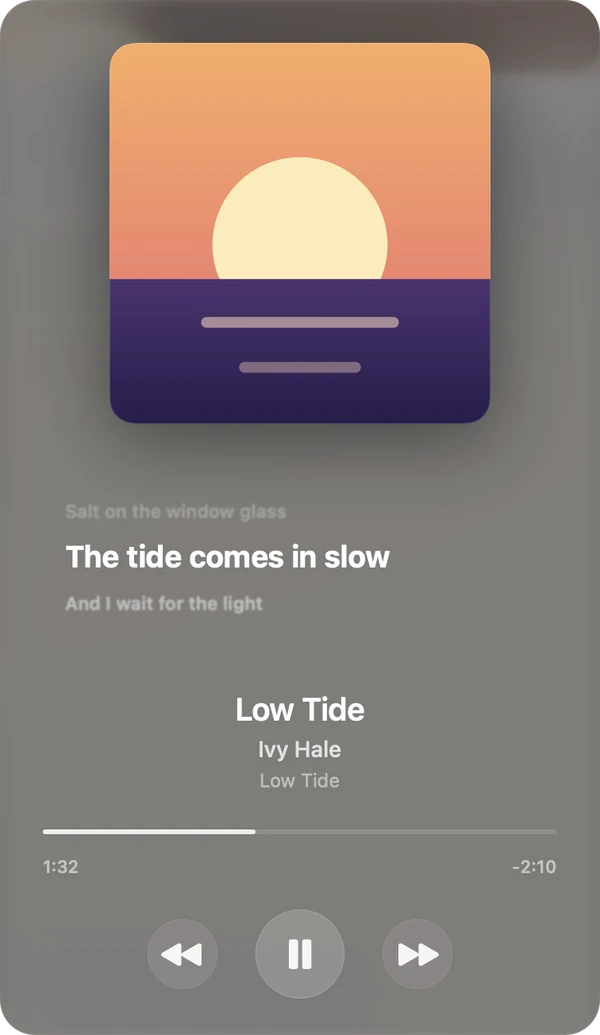
Sonant shows whole lines, timed to the song. The line being sung is the bright one.
Sonant shows the lyrics of the song playing in Spotify or Apple Music, line by line, from the Mac menu bar. Press and hold the pill and the current line follows the music.
Includes VAT · 7 days free, no card needed · 14-day refund
Start something in Spotify or Apple Music. Sonant notices which one is playing.
Press and hold the pill in the menu bar. The Now Playing preview opens with the artwork and three lines: the one before, the one being sung and the one after.
The lines move with the song. Click anywhere else and the preview closes.
Sonant shows whole lines, timed to the song. The line being sung is the bright one.
Lyrics work the same with both. Sonant follows whichever one is playing.
The lines come from LRCLIB, a free lyrics catalog that needs no account. Sonant looks a song up by title, artist and album.
Not every song is in the catalog with timing. The preview then says so, and everything else works as usual.
Sonant also has a floating widget. Open it from the right-click menu and it stays with you across spaces and full-screen apps. Next to the artwork and the title it shows the line being sung. You can switch that line off in Settings, under Widget. More about the widget

Something not covered here? Write to [email protected].
Includes VAT · 7 days free, no card needed · 14-day refund
